
1:内核更新
# 查看当前kernel版本
[root@localhost ~]# uname -r

# 查看可升级的内核版本
[root@localhost ~]# yum list kernel
# 可选择升级内核版本yum update kernel

# 为了让新安装的内核成为默认启动选项,需要修改GRUB配置。
[root@localhost ~]# vim /etc/default/grub
#修改后文件内容如下:(修改为GRUB_DEFAULT=0,意思是GRUB初始化页面的第一个内核做为默认内核。)

# 执行命令:grub2-mkconfig -o /boot/grub2/grub.cfg
[root@localhost ~]# grub2-mkconfig -o /boot/grub2/grub.cfg

2:内核升级
# CentOS 允许使用 ELRepo,这是一个第三方仓库,可以将内核升级到最新版本。
# 在CentOS 7上启用 ELRepo 仓库,运行如下命令:
# 导入该源的秘钥
[root@localhost ~]# rpm –import https://www.elrepo.org/RPM-GPG-KEY-elrepo.org
# 启用该源仓库
[root@localhost ~]# rpm -Uvh http://www.elrepo.org/elrepo-release-7.0-2.el7.elrepo.noarch.rpm

# 查看有哪些内核版本可供安装
[root@localhost ~]# yum –disablerepo=”*” –enablerepo=”elrepo-kernel” list available
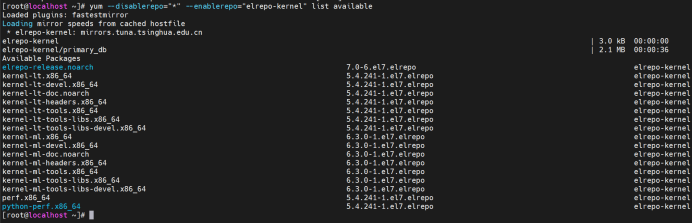
# 安装长期稳定版本,5.4.241-1.el7.elrepo
[root@localhost ~]# yum –enablerepo=elrepo-kernel install kernel-lt -y
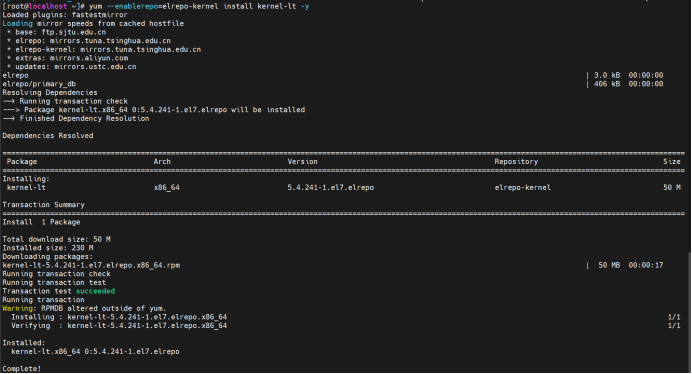
# 执行命令:grub2-mkconfig -o /boot/grub2/grub.cfg (已经可以看见5.4.241-1.el7.elrepo的内核了)
[root@localhost ~]# grub2-mkconfig -o /boot/grub2/grub.cfg

# 重启主机可以看到已经有好几个内核可供启动了,默认第一个内核版本启动。
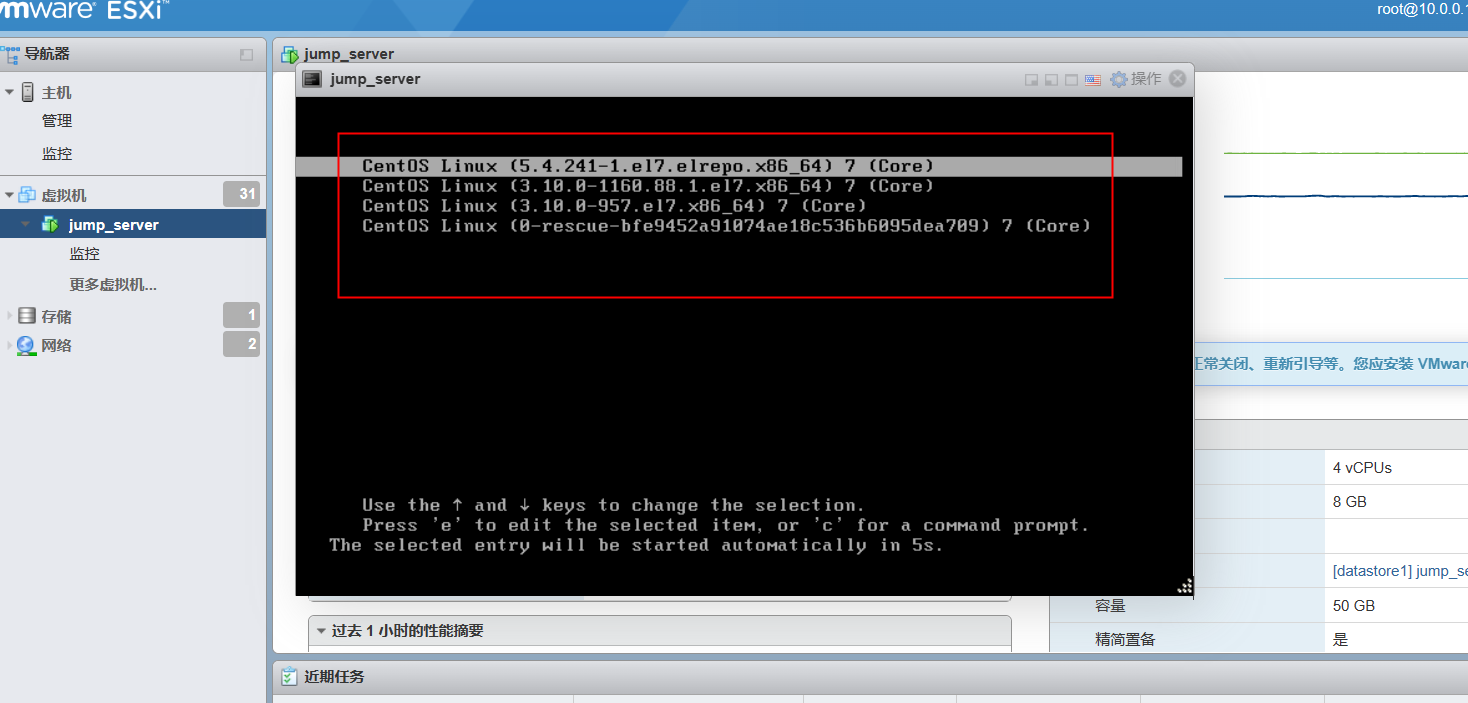
# 进入系统后查看内核版本。

切换repo源(可选操作)
# 备份
[root@localhost ~]# mv /etc/yum.repos.d/CentOS-Base.repo /etc/yum.repos.d/CentOS-Base.repo.bak
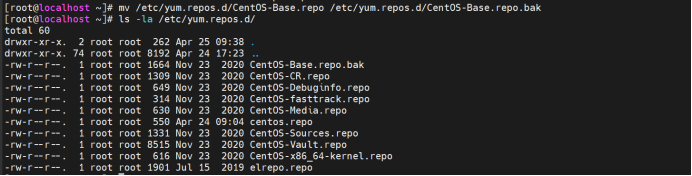
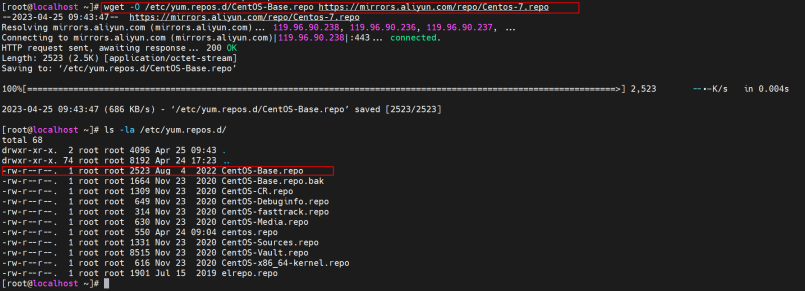
# 下载新的CentOS-Base.repo到/etc/yum.repos.d/
[root@localhost ~]# wget -O /etc/yum.repos.d/CentOS-Base.repo https://mirrors.aliyun.com/repo/Centos-7.repo
# 运行yum makecache生成缓存
[root@localhost ~]# yum makecache
Hello, I enjoy reading through your article. I like
to write a little comment to support you.
Woah! I’m really loving the template/theme of this website.
It’s simple, yet effective. A lot of times it’s tough to
get that “perfect balance” between superb usability and visual appearance.
I must say that you’ve done a excellent job with this.
In addition, the blog loads very quick for me on Internet explorer.
Exceptional Blog!
hey there and thank you for your information – I’ve certainly picked up
anything new from right here. I did however expertise a few technical points using this web site,
as I experienced to reload the web site many times previous to I could get it to load
correctly. I had been wondering if your web hosting is OK?
Not that I am complaining, but slow loading instances times will
often affect your placement in google and can damage your quality score if
advertising and marketing with Adwords. Well I’m adding
this RSS to my e-mail and could look out for a lot more of your
respective intriguing content. Make sure you update this again very soon.
I am extremely impressed along with your writing talents and also with the layout
for your weblog. Is that this a paid topic or did you customize it your self?
Anyway stay up the excellent high quality writing, it’s rare to see a
nice weblog like this one these days..
What a data of un-ambiguity and preserveness
of valuable knowledge concerning unpredicted feelings.
Great goods from you, man. I’ve understand
your stuff previous to and you are just too wonderful. I actually like what you have acquired here, really like what you
are stating and the way in which you say it. You make it enjoyable and you still take
care of to keep it smart. I cant wait to read far more from you.
This is really a tremendous web site.
Heya! I’m at work surfing around your blog from my
new iphone! Just wanted to say I love reading through your
blog and look forward to all your posts! Keep up the fantastic
work!